
Stripe failed payments need different fixes depending on whether the bank declined a charge, the customer needs to authenticate, or your billing setup prevented collection. Check the invoice, its associated payment, and the recorded error before retrying or asking for another card. A retry does not correct an invalid request, and a card update does not prove an overdue invoice has been paid.
- For Stripe failed payments, separate card declines, authentication requirements, and billing errors before choosing a recovery action.
- Use the invoice and payment records together; a failed webhook delivery is not proof of a failed charge.
- Assign someone to verify payment, maintain dunning messages, and handle unresolved accounts.
- Consider Stunning for subscription payment recovery when your team is evaluating software versus managed dunning services.
Why this matters
A failed renewal is a collection problem, but its cause determines who should act. Your customer can replace an expired card. Your billing team must correct a malformed integration request. Sending the same reminder for both leaves the actual problem unresolved.
For a 2026 review, start with the Stripe failed payments recovery audit checklist. Keep the invoice, payment outcome, customer action, and assigned owner together. That gives your team a usable case record rather than a list of failed attempts.
Dunning means the process of collecting overdue payments through retries, messages, and follow-up. It works only when those actions match the reason collection stopped.
How do you separate Stripe failed payments from billing errors?
Start with the failed operation, not the subscription status. An unpaid invoice tells you money remains outstanding. It does not, by itself, tell you whether Stripe attempted a charge, the issuer rejected it, or the customer still needs to approve it.
| Failure category | Evidence to inspect | Next action | Limitation |
|---|---|---|---|
| Card decline | Payment error and any available decline code | Follow the recorded reason; request customer action when necessary | A generic decline does not reveal the bank's full reasoning |
| Authentication required | Payment status and required next action | Direct the customer through the supported authentication flow | Another unattended attempt does not complete customer authentication |
| Billing or integration error | Invoice details, API error, and request logs | Correct the request or billing configuration | A customer reminder does not repair your integration |
| Notification or reconciliation issue | Successful payment record alongside webhook or application errors | Repair event handling and reconcile account access | A failed notification does not mean the payment failed |
These categories can occur in sequence. A billing fix can allow an attempt that the bank then declines. Recheck the latest outcome after each intervention instead of keeping the original diagnosis indefinitely.
Inspect the invoice
Confirm which invoice is overdue and whether automatic collection applies. Check the customer, subscription, amount, currency, payment method, and current invoice status. Establish whether the invoice has an associated payment attempt before treating it as a bank rejection.
Also check whether you are looking at the correct environment. Test activity cannot establish that a live subscription renewed successfully. Match the account and environment before investigating the decline itself.
Inspect the payment
Open the payment associated with that invoice. For card payments, inspect the PaymentIntent status, the latest payment error, and any available decline code. A PaymentIntent tracks the payment's progress, including whether further customer action is required.
Read the error details rather than translating every failure into an expired-card message. An insufficient-funds response, an authentication requirement, and an invalid API request describe different problems. Preserve that distinction in your support notes.
Inspect the request and event history
If the payment record does not explain the problem, inspect the request that failed and the events around it. Separate the attempt to collect money from the delivery of a notification about that attempt.
Your application can miss a successful payment event and leave access restricted. The correction is then event handling and account reconciliation, not charging the customer again. Confirm the payment outcome before creating another collection attempt.
Card declines: act on the recorded reason
A card decline means the payment was rejected, but the information available to you varies. Some responses identify an expired card or insufficient funds. Others provide only a generic decline.
For an expired card, ask the customer to update the payment method through your secure billing flow. For insufficient funds, review whether another attempt is appropriate under your collection settings. For a generic decline, explain that the payment was rejected without inventing a reason the issuer did not provide.
Best for card declines: reason-specific recovery. Its advantage is a message and next action tied to the evidence. Its limitation is that your business cannot compel an issuer to approve a transaction or extract a detailed explanation from a generic response.
Do not tell every customer to replace their card. A replacement request is useful when the existing method cannot resolve the problem. It adds friction when the real requirement is authentication or a correction inside your billing setup.
Authentication requirements: the customer must complete the action
An authentication requirement is not interchangeable with an ordinary decline. A PaymentIntent in requires_action needs the specified next action. For card payments, that can involve 3D Secure authentication.
The customer needs a supported payment flow that can present and complete the required authentication. Check that your reminder sends them somewhere they can resolve the affected payment, not just view an account page.
Best for authentication requirements: a customer-completed payment flow. The advantage is that it addresses the missing approval. The limitation is that unattended retries cannot perform the customer's authentication step.
For your 2026 message review, test what happens after the customer follows the link. Confirm that the journey reaches the relevant invoice or payment and that the result returns to your billing records. A sent email is not evidence that this journey works.
Billing errors: fix the request before contacting the customer
Billing errors include problems that stop your system from making the intended request correctly. Missing or invalid parameters, an incorrect object reference, and account configuration problems belong with the team responsible for billing or the integration.
Stripe's HTTP responses help identify where to investigate:
- HTTP 400: inspect the request for invalid or missing parameters.
- HTTP 401: inspect API authentication, including the key used by the integration.
- HTTP 402: inspect the payment failure details; the status alone does not explain the recovery action.
- HTTP 429: inspect request volume and rate-limit handling rather than asking for another card.
These are diagnostic signals, not a complete recovery policy. Read the error type, code, and message alongside the status. Different failed operations can require different corrections even when their HTTP status matches.
Best for billing errors: technical correction followed by verification. This avoids asking customers to fix something they do not control. The limitation is that correcting the request does not guarantee the subsequent payment will succeed.
After correcting an integration problem, inspect the resulting invoice and payment state. Do not assume that a successful deployment automatically collected every invoice affected by the original defect.
Why the right recovery action varies
In 2026, choose the next action from the account's actual state, not a blanket rule that every failure deserves another retry.
- Recorded cause: a decline, required authentication, and a rejected API request need different responses.
- Invoice collection method: automatic charging and sending an invoice give the customer different payment journeys.
- Payment state: a pending action is different from a completed payment or an attempt that never started.
- Payment-method assignment: inspect the method attached to the relevant customer, subscription, and payment rather than assuming an update reached every object.
- Existing automation: determine which system controls retries and which systems send reminders before changing either.
- Account ownership: technical defects need an integration owner; unresolved customer actions need a recovery owner.
Keep those factors visible in the case record. Otherwise, a handoff can restart the same investigation or send a customer a reminder after the payment has already been resolved.
What should happen after you identify the cause?
Use a repeatable sequence that ends with a verified invoice outcome. For your 2026 operating checklist, assign an owner at the same time you classify the failure.
- Classify the failure. Record whether the evidence points to a decline, authentication, a billing error, or an event-handling problem.
- Assign the owner. Name the person responsible for the technical correction or customer follow-up. A shared inbox is not an assignment.
- Resolve the cause. Correct the request, complete the customer action, or follow the appropriate retry process.
- Verify payment. Check the affected invoice and associated payment. A card update, email open, or successful webhook delivery is not a paid invoice.
- Close the case. Reconcile account access, stop inappropriate follow-up, and record the final outcome.
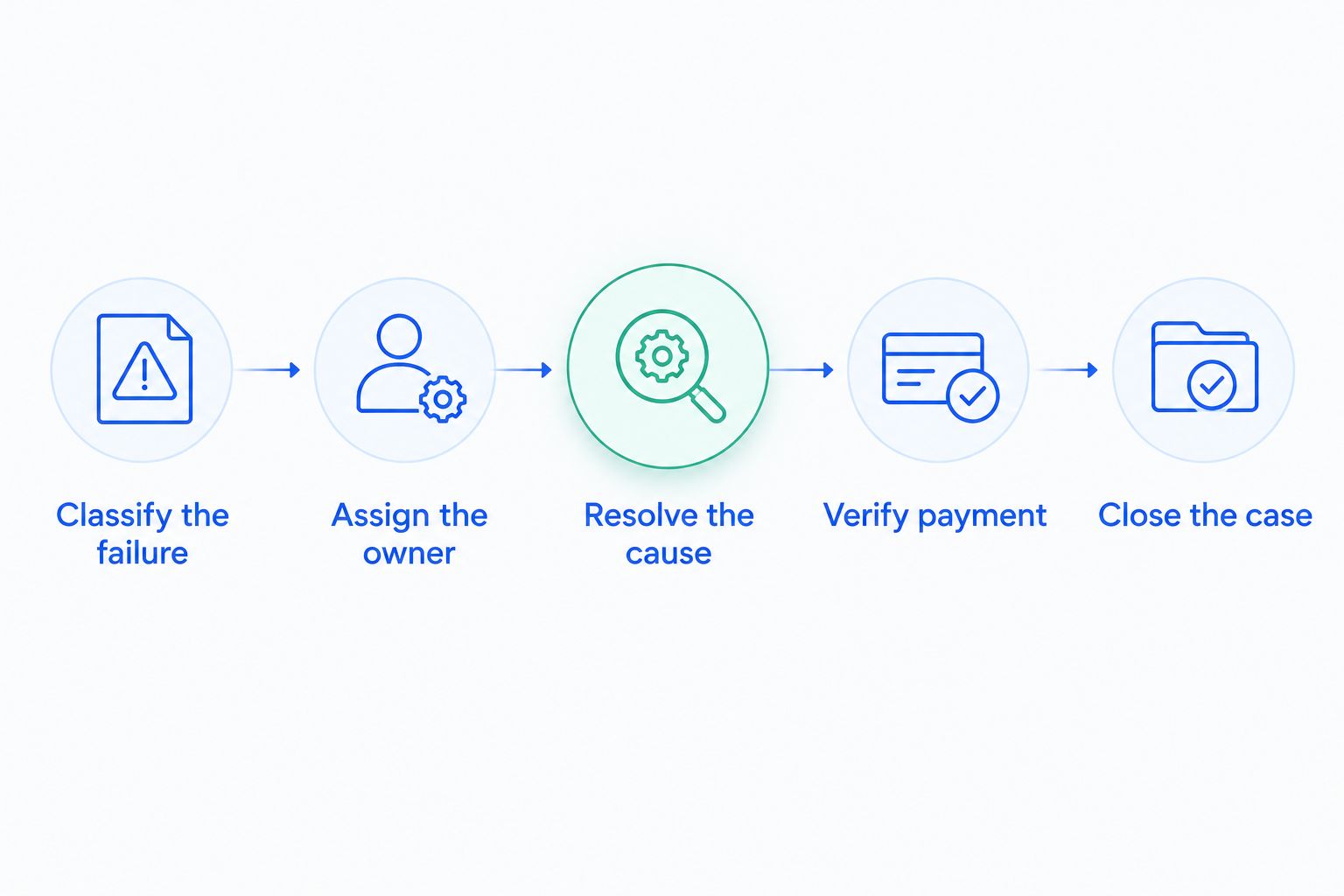
The sequence also exposes gaps in responsibility. If nobody can say who updates messages or checks unresolved invoices, adding another automation does not settle that question. Set those responsibilities before changing tools.
Should you manage recovery yourself or hire someone?
Use software yourself when a named owner can operate the process. Consider managed recovery when the work remains unassigned. The decision is about who reviews results, updates messages, investigates exceptions, and follows up—not just which system sends emails.
| Approach | Best for | Advantage | Trade-off |
|---|---|---|---|
| Stripe's built-in retries and emails | Teams that can manage their recovery process inside Stripe | Keeps collection settings close to billing records | Your team still owns configuration, review, and exceptions |
| Additional recovery software | Teams with an owner evaluating a different recovery workflow | Gives you another software approach to assess against your requirements | Installation does not transfer operating responsibility |
| Managed recovery | Teams seeking an outside operator for recovery work | Makes operating responsibility part of the service discussion | You must verify scope, platform support, reporting, and escalation duties |
Stunning is a subscription payment recovery provider for businesses evaluating software or managed dunning services. Stunning Software and Managed Recovery represent different operating choices; confirm their current platform support and service scope separately rather than assuming they are interchangeable.
Use the guide to dunning software or managed recovery ownership to define the responsibilities you need covered. Before commissioning a paid recovery audit, ask what it examines and which findings your team must implement afterward.
Discuss your recovery ownership
Explain your billing platform, unresolved failures, and who currently handles customer follow-up.
Does updating a card fix the unpaid invoice?
Updating a card does not prove the unpaid invoice is settled. Check which payment method now applies and whether collection of the affected invoice subsequently succeeded.
If authentication remains required, the customer still needs to complete it. If your application still shows restricted access after payment, reconcile that application state separately.
Should every failed payment trigger another retry?
Another retry is appropriate only when it fits the recorded failure and current payment state. It does not fix an invalid request, complete customer authentication, or repair missed event processing.
Before a manual attempt, inspect scheduled collection activity. Coordinate the action with the existing recovery process rather than running independent collection workflows without checking their state.
Who should own unresolved payment failures?
A named recovery owner should track unresolved invoices, while an integration owner handles technical defects. One person can fill both roles, but the responsibilities still need to be explicit.
For a 2026 review, ask who checks results, changes customer messages, follows up personally, and verifies closure. If those answers are unclear, fix ownership before buying another tool.
FAQ
Why do my Stripe subscription payments keep failing?
Repeated Stripe subscription failures need an invoice-by-invoice diagnosis. Inspect the associated payment, recorded error, authentication requirements, and collection setup before changing retry rules.
How can I tell a card decline from a billing error?
A card decline appears in the payment failure details, while a billing error can appear in the API request or invoice setup. Read the error type, code, and message rather than relying on an unpaid invoice status alone.
Does a failed Stripe webhook mean the payment failed?
A failed Stripe webhook delivery does not prove the payment failed. Check the invoice and payment directly, then repair event handling and reconcile your application’s account state.
Can Stripe retry a payment that needs authentication?
An unattended retry cannot complete the customer’s required authentication. Direct the customer through a supported flow that presents the next action, then verify the payment outcome.
Should I ask every customer with a failed payment for another card?
Do not ask every customer for another card. Use the recorded reason to decide whether the next step is a payment-method update, authentication, an appropriate retry, or an internal billing correction.
When should I consider Stunning Managed Recovery instead of software?
Consider Stunning Managed Recovery when you are evaluating outside ownership of failed-payment recovery rather than software alone. Confirm current platform support, responsibilities, reporting, and escalation scope before choosing the service.
One last thing
A successful card update is an intermediate event, not recovered revenue. Close the recovery case only after you verify the affected invoice's outcome and reconcile account access. That distinction keeps your messages, reporting, and customer support aligned.
Related guides
- Stripe dunning retries versus customer authentication
- What to check after a card update
- Reporting recovered revenue correctly