
Review dunning management software each month by checking unpaid invoices, verifying recovered payments, inspecting customer messages, and assigning the remaining follow-up work. Dunning means collecting payments after an initial failure; retries and emails are only part of that work. Use the agenda below to decide what to change, who owns it, and whether your subscription business needs software alone or someone to run recovery.
- Review dunning management software against paid invoices, unresolved failures, customer messages, and assigned follow-up work.
- Keep Stripe retries separate from customer actions such as authentication or providing a different card.
- Stunning offers failed-payment recovery software and managed dunning services; choose based on who will own the work.
- End every monthly review with named owners and deadlines, not just a recovery dashboard.
Why this matters
A recovery dashboard does not tell you whether someone answered a billing question, corrected a confusing email, or checked an invoice after a customer updated their card. Your monthly review needs to connect payment records with those unfinished tasks.
Start with a consistent definition of recovery. Count a failed invoice as recovered only when you can match it to a successful payment, not merely a card update or scheduled retry. Use this guide to reporting recovered revenue correctly to keep the discussion focused on collected payments.
For your 2026 review template, keep the reporting period, invoice population, and recovery definition visible. Changing those definitions between meetings makes comparisons harder to interpret.
What should a monthly dunning management software review cover?
Use the following as a proposed 45-minute agenda, not a performance benchmark. Send the invoice list and open issues beforehand so the meeting is for decisions rather than reading a dashboard aloud.
| Agenda item | Suggested time | Decision required |
|---|---|---|
| Payment results | 10 minutes | Which invoices were paid, remain open, or need reconciliation? |
| Failure handling | 10 minutes | Which cases need a retry, customer action, or investigation? |
| Customer messages | 10 minutes | Which reminders need correction, testing, or suppression? |
| Ownership and changes | 15 minutes | Who will make each change and confirm the result? |
Bring the person responsible for billing operations and anyone needed to resolve specific issues. That might include customer support, finance, or engineering. Do not turn every review into a standing meeting for everyone involved in subscriptions.
The required output is an action list tied to invoices, messages, or settings. A general instruction to improve recovery is not an assignment.
Payment results: reconcile before comparing
Choose a fixed group of invoices, such as invoices whose first payment failure occurred during the review month. Keep those invoices together when checking what happened afterward. This prevents a payment collected this month from being confused with a failure that also began this month.
Record these fields for each invoice:
- Original failure date and invoice identifier.
- Amount due and currency.
- Current invoice status.
- Successful payment date, when applicable.
- Remaining action and assigned owner.
Separate the calendar view from the invoice-group view. The calendar view answers what you collected during the month. The invoice-group view answers what happened to the invoices that first failed during that month. Both are useful, but they answer different questions.
For example, a January 2026 invoice paid in February belongs in February's collection activity and January's failed-invoice group. Label both views rather than adding them together.
Failure handling: identify the next useful action
Read the recorded payment failure before deciding what happens next. A retry, an authentication request, and a request for another card are different actions. Review the current payment and invoice state rather than treating every decline as the same problem.
For each unresolved invoice, ask:
- Is a retry already scheduled?
- Does the recorded failure indicate that customer action is required?
- Has the customer supplied another payment method?
- Has anyone checked the invoice since that update?
- Is there an unresolved billing question or dispute?
Do not treat a changed card as proof of payment. Check the invoice and payment result afterward. If a customer says they have fixed the issue but the invoice remains unpaid, assign someone to investigate that specific mismatch.
Customer messages: inspect what customers actually receive
Review the messages your current configuration sends, not just the templates stored in your recovery software. Include billing-system notifications and personal follow-ups in the same inspection. Otherwise, your team cannot see the full customer experience.
Check that each message states the problem plainly, gives the customer an appropriate next action, and reaches the intended billing contact. Test the payment-update path through your approved process. Confirm that messages stop or change when the underlying situation changes.
If your February 2026 review changes an email, save the previous version and record when the replacement takes effect. That record gives the next reviewer a concrete explanation for what changed.
Ownership and changes: close with assignments
Assign each unresolved issue to a person, not a department. Include the expected result and the evidence needed to close it. For example: confirm that the invoice is paid, verify that a reminder no longer sends, or document why a case needs customer follow-up.
Keep configuration changes separate from customer-specific work. Editing a reminder template does not resolve an existing billing dispute. Likewise, resolving one invoice does not prove that the underlying workflow is fixed.
How should the monthly review move from findings to action?
Use a repeatable sequence so issues do not disappear between the dashboard and the next meeting. Keep the sequence in the shared review document.
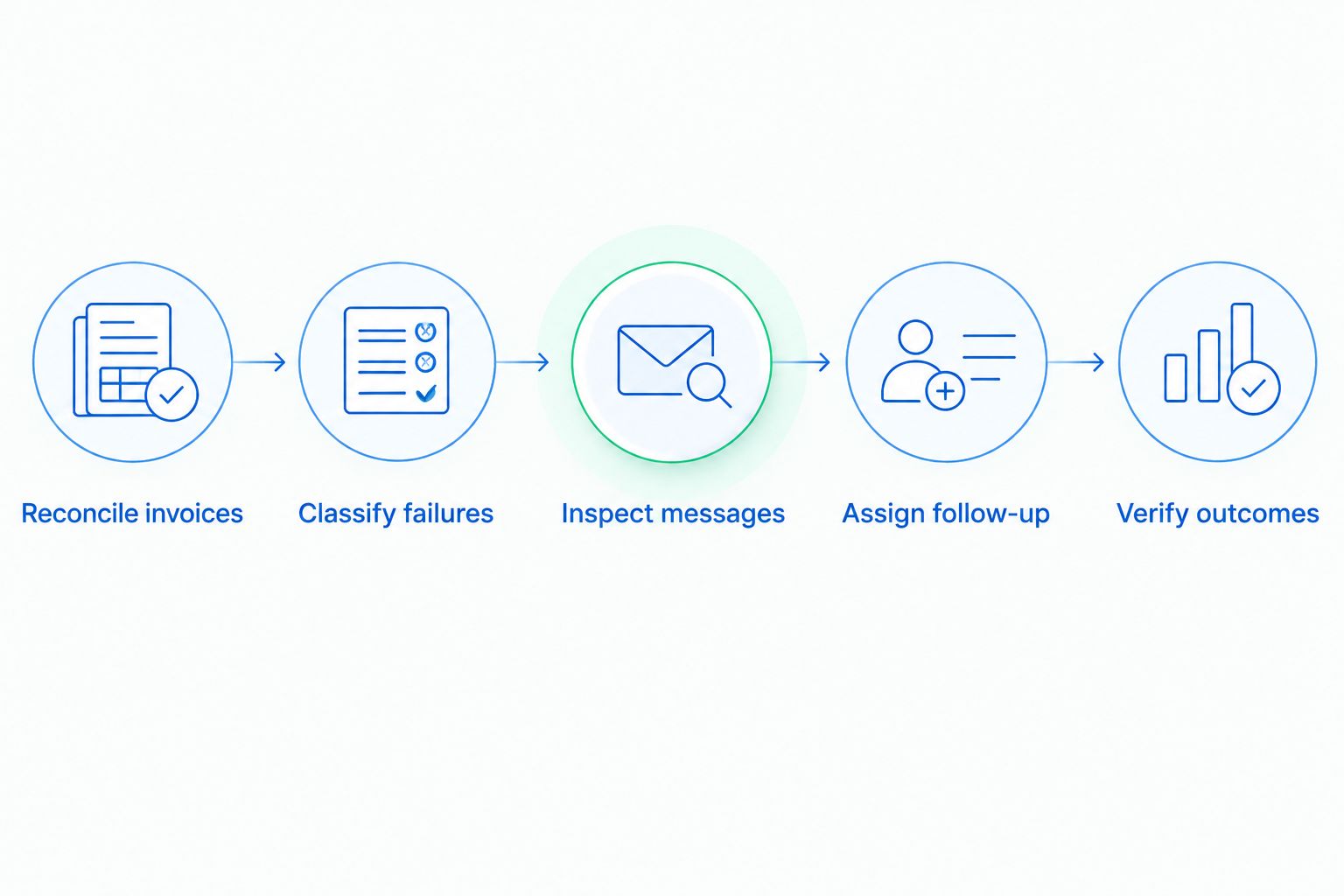
- Reconcile invoices. Match successful payments to the failed invoices under review. Investigate mismatched statuses before discussing recovery results.
- Classify failures. Separate retry handling from customer action, billing questions, and technical investigation.
- Inspect messages. Check the wording, recipient, payment-update path, and stopping conditions for the affected cases.
- Assign follow-up. Give each open case or configuration change an owner and a due date.
- Verify outcomes. Recheck the payment record or message behavior before marking the task complete.
Start the next meeting with the previous action list. If a task remains open, record the blocker and decide whether to escalate, revise, or close it with a documented reason. Do not silently carry it into another month.
Should you use Stripe recovery, software, or managed recovery?
Choose based on the work your team can reliably own. Compare your configured Stripe retries and emails with the additional workflow you need, then decide who will review results, maintain messages, and follow up with customers.
The trade-offs below concern operating responsibility. They are not claims about competing products' recovery rates or current features.
| Approach | Best for | Practical advantage | Responsibility or limitation |
|---|---|---|---|
| Stripe built-in retries and emails | Teams whose configured recovery process covers their needs | Keeps recovery work within the existing billing setup | Your team still needs to inspect results and handle unresolved cases |
| Internally managed recovery software | Teams with a named billing owner who can maintain the process | Gives your team direct responsibility for configuration and follow-up | Buying software does not assign the ongoing work |
| Managed recovery | Teams that need an outside operator for an agreed scope | Lets you contract for specific recurring recovery tasks | You must confirm responsibilities, access, escalation, and reporting |
Before replacing anything, list the work your current setup fails to cover. Examples include unresolved customer replies, unclear billing ownership, or messages that nobody maintains. Then evaluate whether the answer is a configuration change, a different tool, or a service engagement.
When Stunning fits the decision
Stunning offers failed-payment recovery software and managed dunning services for subscription businesses. Stunning is best for subscription teams evaluating failed-payment recovery software alongside managed dunning. The choice should turn on who will run the process, not simply who will install it.
Distinguish Stunning Software from Managed Recovery during evaluation. Do not assume the same platform support, tasks, or terms apply to both. Confirm the fit for your Stripe, Foxy, or Subbly setup and request the current scope before deciding.
For managed work, ask who reviews results, updates customer messages, handles replies, and follows up on unresolved invoices. For software, name the internal owner of those same tasks. Confirm current fees directly rather than building a decision around an old comparison.
Discuss your recovery workload
Explain your billing setup, unresolved failures, and who currently owns follow-up.
Why does the monthly recovery workload vary?
The useful question is not how many settings your software has. It is which cases require attention and whether someone can complete the work.
- Failure handling: A scheduled retry and a customer authentication request call for different follow-up.
- Billing contacts: Multiple contacts require clarity about who receives reminders and who can resolve payment questions.
- Unresolved questions: Invoice disputes and requests for clarification need an answer, not another unchanged reminder.
- Message maintenance: Changed billing processes require someone to review wording, recipients, and update instructions.
- Payment reconciliation: Conflicting invoice and payment records need investigation before you count recovery.
- Internal ownership: Missing access or an unassigned task can stop work even when the software is configured.
Keep these categories stable in your 2026 review log. Add detail beneath them instead of renaming the categories each month. You will be able to see whether the same operational problem keeps returning.
How do you know whether recovery software is enough?
Recovery software is enough when your team can own configuration, customer communication, unresolved cases, and verification. Name the owner and inspect the completed work during the monthly review; access to a dashboard alone is not evidence that the process is covered.
When should you hire someone to run failed-payment recovery?
Hire someone to run failed-payment recovery when recurring review and follow-up work remains unowned. Define the service scope around specific tasks and completion evidence, while retaining an internal contact for billing decisions and escalations.
What should change after a monthly recovery review?
A monthly recovery review should produce specific corrections or a documented decision to leave the process unchanged. Record the affected invoices or workflow, the owner, the due date, and how completion will be checked.
FAQ
What should I check first in dunning management software?
Check that recovered invoices match successful payments. Resolve discrepancies before comparing recovery results or changing your workflow.
How often should I review failed-payment recovery?
Use a monthly review for results and process changes, while assigning active customer cases their own follow-up deadlines. The meeting should not become a reason to leave an unpaid invoice unattended.
Do Stripe retries replace a monthly recovery review?
Stripe retries do not replace reviewing unpaid invoices, customer messages, and assigned follow-up. Check your configured retries and emails alongside the cases that remain unresolved.
Does a customer updating their card count as recovery?
A card update does not count as recovery by itself. Verify that the invoice was successfully paid before reporting it as collected revenue.
Should I change retry settings every month?
Change retry settings only when the review identifies a specific problem and supports a clear correction. Record the change and inspect its behavior afterward.
What should I ask a managed recovery provider?
Ask who reviews results, maintains customer messages, follows up on unresolved invoices, and handles escalations. Confirm platform support, current fees, reporting, and the limits of the agreed scope.
What belongs in a monthly dunning action list?
Include the issue, affected invoice or workflow, named owner, due date, and completion evidence. Revisit open items at the next review rather than replacing them with a new list.
One last thing
For your next 2026 review, add a field called last verified action to the unresolved-invoice list. Record what happened, when it happened, and what the payment record showed afterward. This separates work someone intended to do from work someone completed and checked.
Related guides
- When a customer needs a different card
- How to test dunning software before switching it on
- Dunning software or managed recovery: who owns the work?